My Videos
The My Videos page is your library of topic videos in R1 Discover. It collects the videos from every topic available to you in one place, so you can watch or rewatch them without opening each topic.
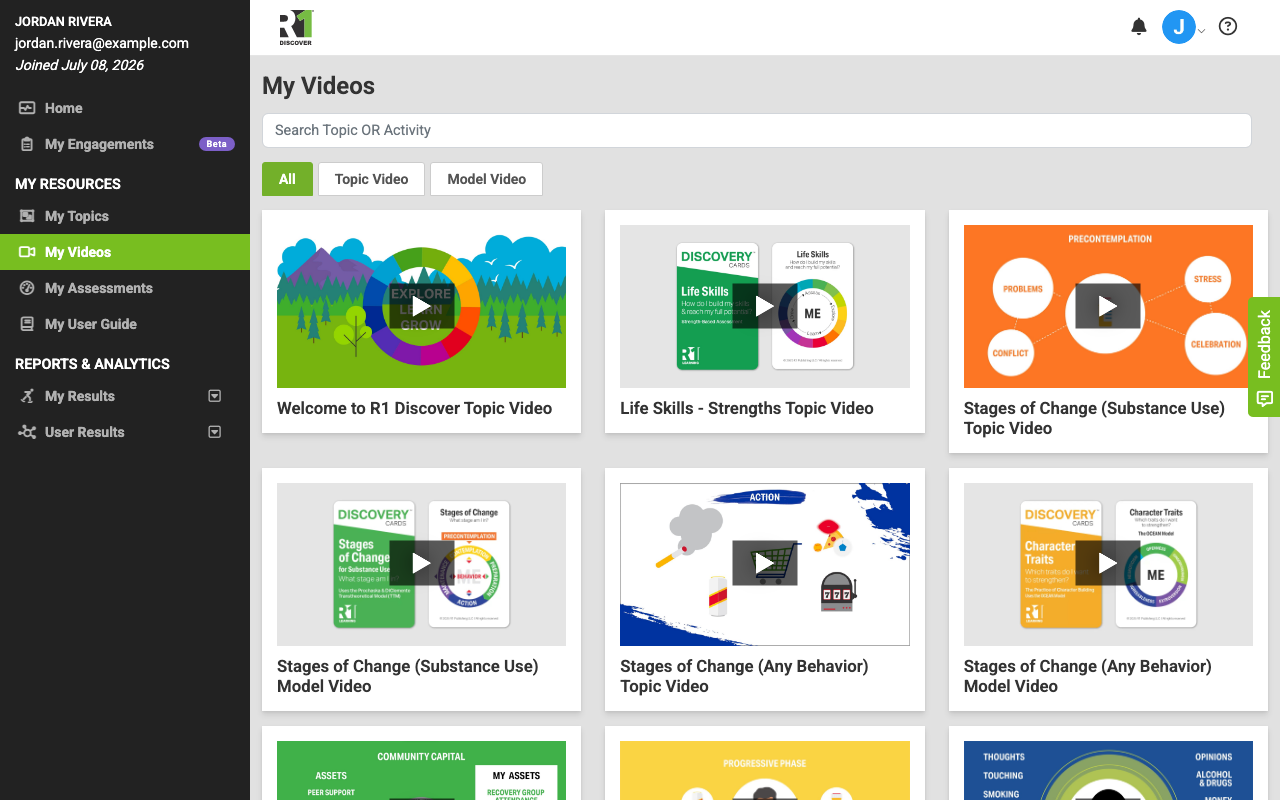
Opening My Videos
- Sign in to R1 Discover.
- In the left navigation, click My Videos (listed next to My Topics).
If you don't see the My Videos link, your role doesn't have access to this page — contact your administrator.
Browsing and filtering videos
Videos are shown as a grid of thumbnails, each labeled with its title. Two tools help you narrow the list:
- Category tabs — use the All, Topic Video, and Model Video tabs above the grid to filter by video type.
- Search — type in the Search Topic OR Activity box to filter the grid as you type. Matches are found in both video titles and the names of activities in the related topic, so you can search by an activity name even if it isn't part of the video title.
Playing a video
- Click a video's thumbnail.
- The video opens in a pop-up player with standard controls — play, pause, volume, and full screen.
- Close the pop-up when you're done; the video stops automatically.
If a video shows a lock icon
A lock icon over a thumbnail means your current license doesn't include playback for that video. You can see that the video exists, but you'll need a license upgrade to play it — contact your administrator.
Was this helpful?
Thanks for the feedback!