My Demographics
The My Demographics tab lets you share optional demographic details about yourself. This information helps your organization better understand and support the people it serves. All fields are optional — complete only what you are comfortable sharing.
Note: Your organization controls whether this tab is available. If you don't see My Demographics, your organization has not enabled it.
Accessing My Demographics
- Click your avatar in the top-right corner and select My Profile.
- On the settings page, click the My Demographics tab.
Updating your information
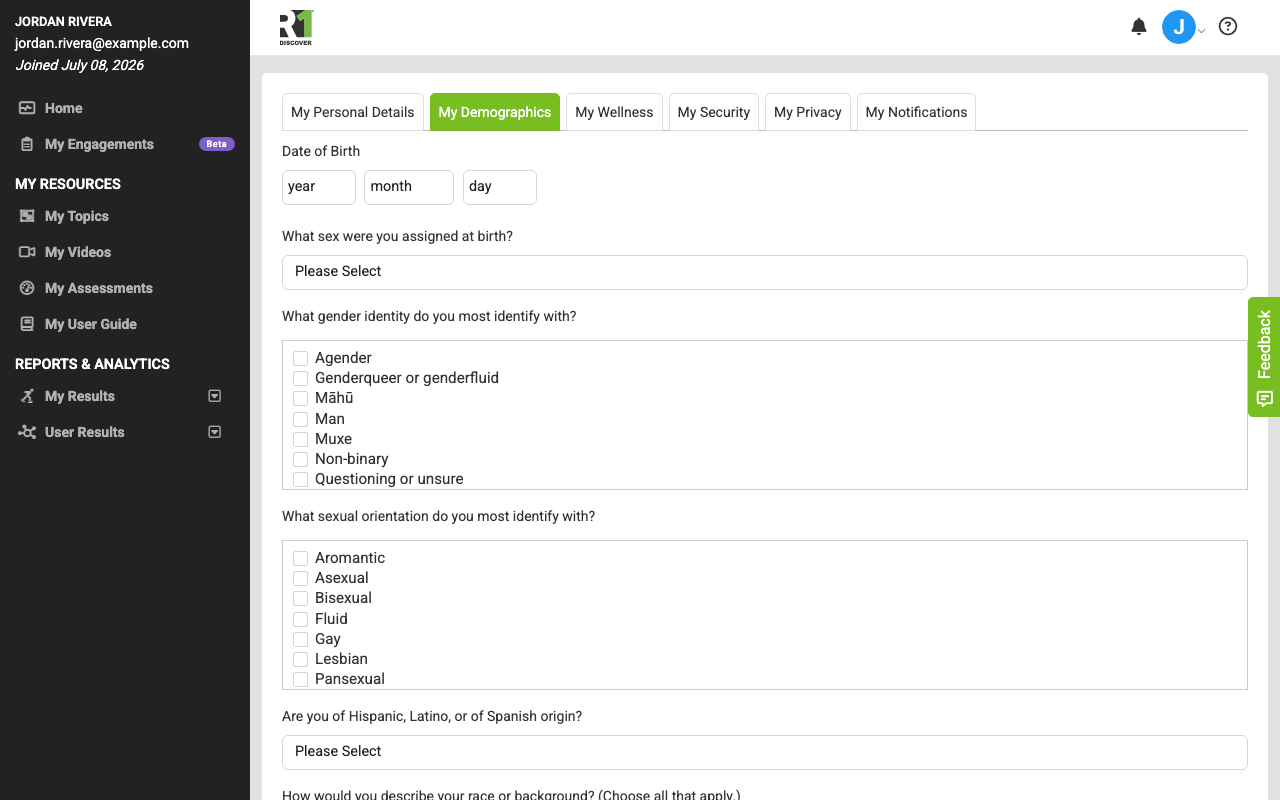
The tab asks a series of questions. Some accept a single answer from a dropdown; others let you check all options that apply.
- Date of Birth — select the year, month, and day from the dropdowns.
- What sex were you assigned at birth? — single selection.
- What gender identity do you most identify with? — check all that apply.
- What sexual orientation do you most identify with? — check all that apply.
- Are you of Hispanic, Latino, or of Spanish origin? — single selection.
- How would you describe your race or background? — check all that apply.
- What is your current employment status? — single selection.
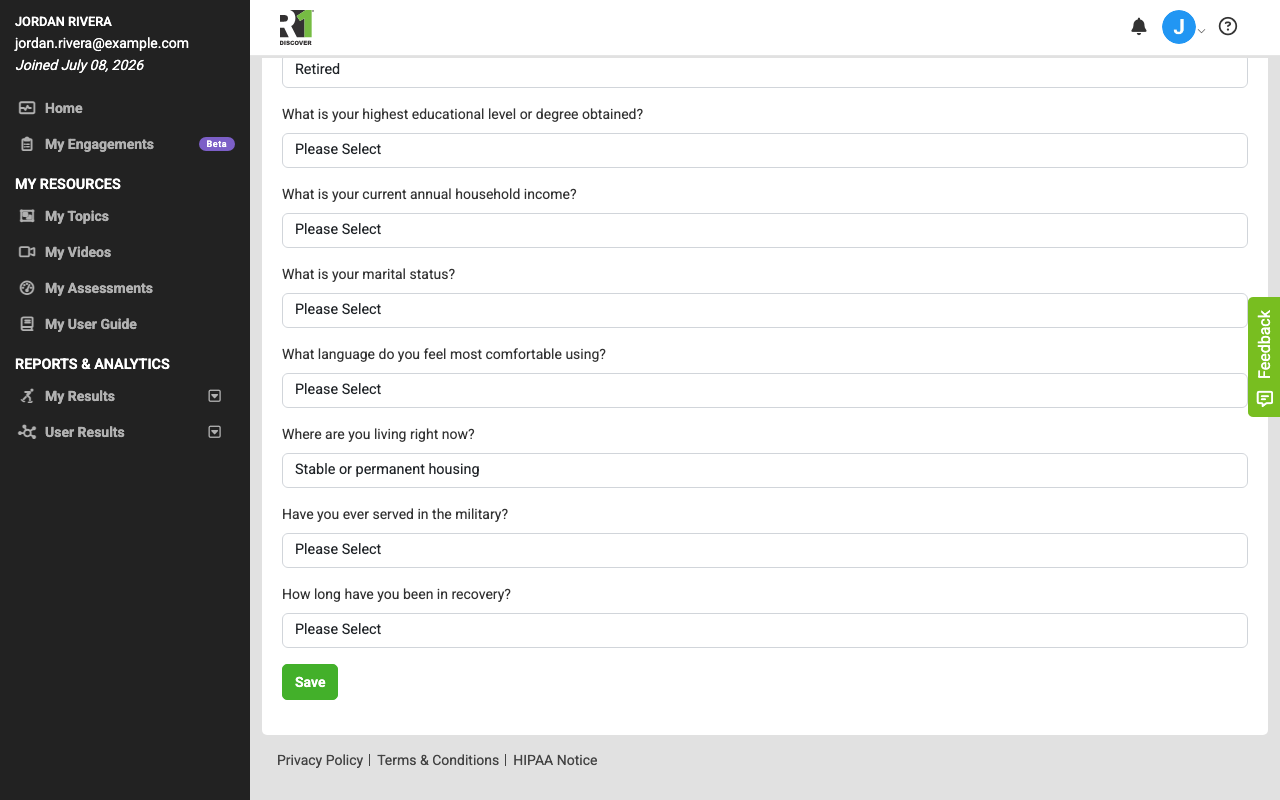
- What is your highest educational level or degree obtained? — single selection.
- What is your current annual household income? — single selection.
- What is your marital status? — single selection.
- What language do you feel most comfortable using? — single selection.
- Where are you living right now? — single selection.
- Have you ever served in the military? — single selection.
- How long have you been in recovery? — single selection.
Saving your information
- Review your answers for accuracy.
- Click Save at the bottom of the tab.
Your changes take effect immediately. You can return to this tab at any time to update your answers.
Was this helpful?
Thanks for the feedback!