My Profile
My Profile is where you manage your account: personal details, demographics, wellness tracking, security settings, privacy choices, and notification preferences.
Opening My Profile
- Click your profile photo in the top-right corner of any page.
- Select My Profile from the menu.
You can also jump straight to a specific tab from the same menu using the My Security and My Privacy links.
The My Profile tabs
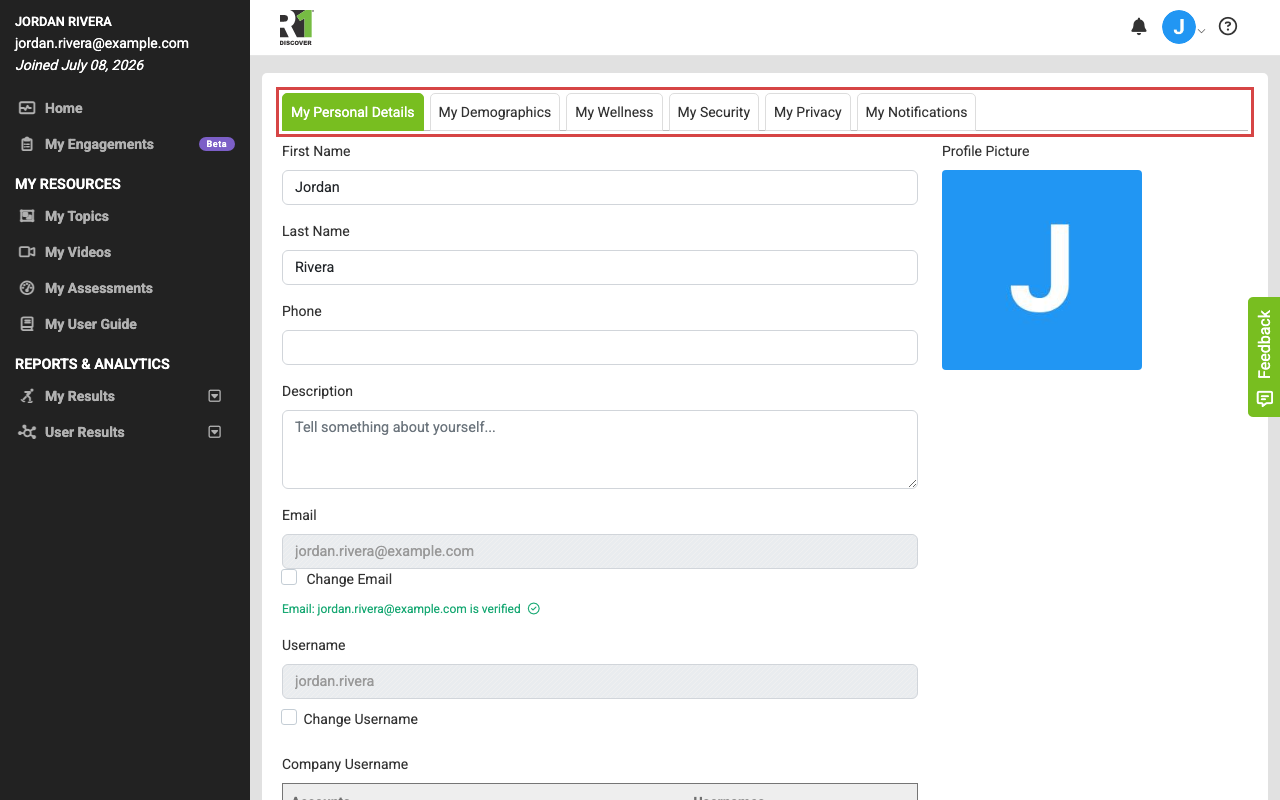
The page is organized into tabs. Depending on your organization's settings and your role, some tabs may not be visible to you.
- My Personal Details: Manage your profile photo, name, username, email, and other contact information.
- My Demographics: Update demographic information such as age, gender, and education.
- My Wellness: Track your progress as it relates to abstaining from substances.
- My Credentials: Available to admins and practitioners only — record your role, certifications, and other credentials.
- My Security: Change your password and manage two-factor authentication (2FA).
- My Privacy: Review the terms and conditions and request deletion of your account and associated data.
- My Notifications: Choose which notifications you receive and how.
Saving your changes
Each editable tab has a Save button at the bottom — click it after making changes. If a field fails validation, the tab containing the error is flagged so you can find and correct it before saving again.
Was this helpful?
Thanks for the feedback!