My Privacy
The My Privacy tab on your My Profile page is where you manage your agreement to the R1 Discover Terms and Conditions and where you can permanently delete your account and its data.
Depending on how your organization has configured R1 Discover, the My Privacy tab may not be available to your role.
Accessing My Privacy
- Hover over your profile icon in the top-right corner of R1 Discover.
- Select My Privacy from the dropdown menu.
You can also open My Profile and click the My Privacy tab.
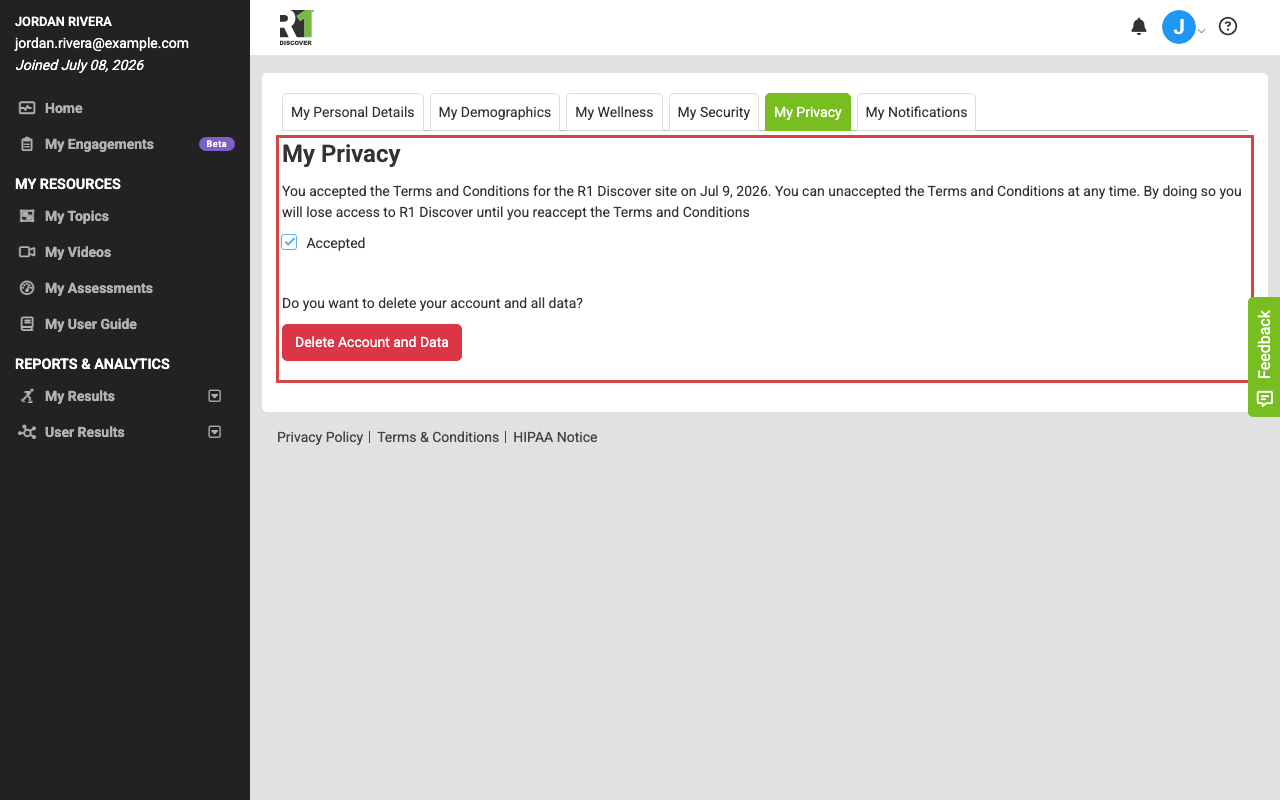
Terms and Conditions agreement
When you first signed in to R1 Discover, you accepted the platform's Terms and Conditions. On the My Privacy tab you can review and change that agreement:
- Viewing your status: The checkbox is marked Accepted when you have agreed to the Terms and Conditions, along with the acceptance details.
- Withdrawing your agreement: Uncheck the box. A confirmation dialog asks whether you are sure — if you confirm, you are logged out and lose access to R1 Discover until you re-accept the Terms and Conditions. You can re-accept at any time by signing in again and accepting when prompted.
Delete your account and data
R1 Discover respects your right to be forgotten. To permanently delete your account and all data associated with it:
- On the My Privacy tab, click Delete Account and Data.
- A confirmation field appears. Type DELETE MY ACCOUNT exactly as shown into the field.
- Click Delete to complete the deletion.
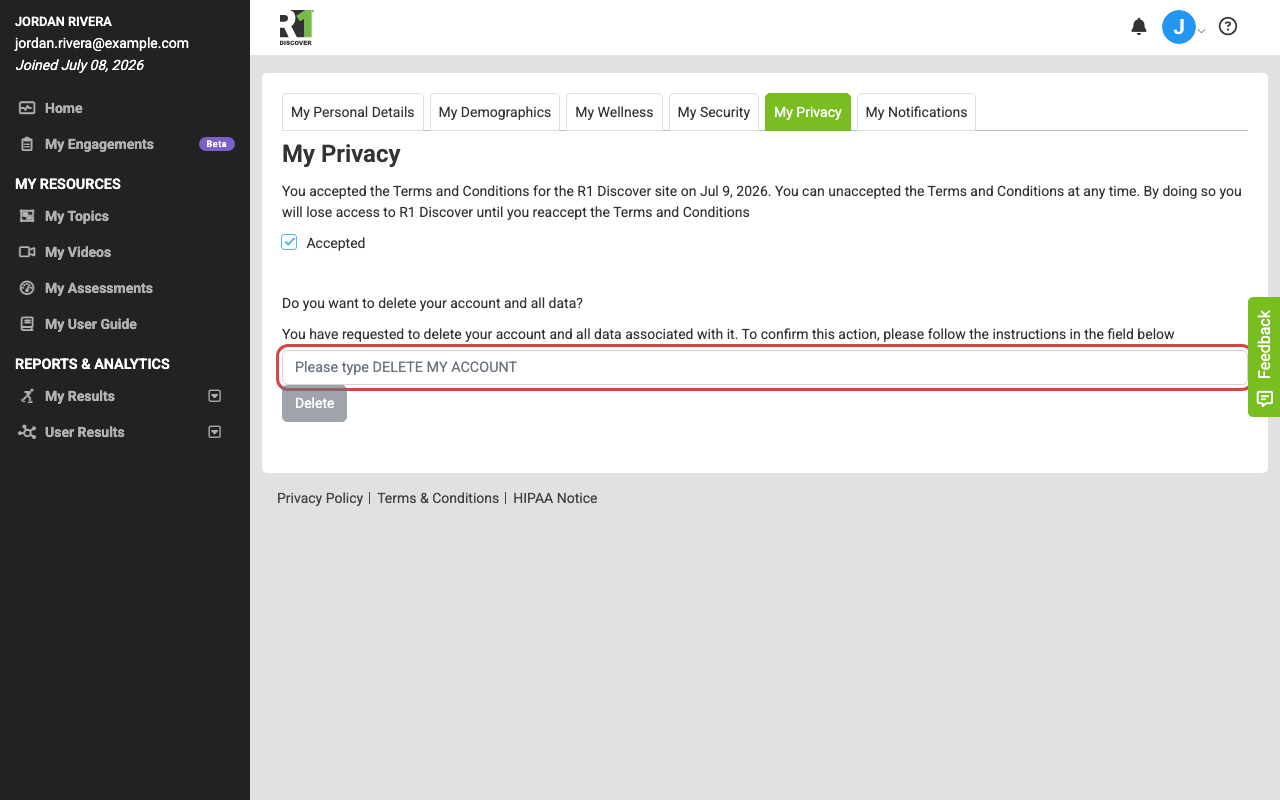
Important: Deleting your account is irreversible. All of your data is removed and cannot be recovered, so make sure you no longer need anything in your account before you proceed.
Was this helpful?
Thanks for the feedback!